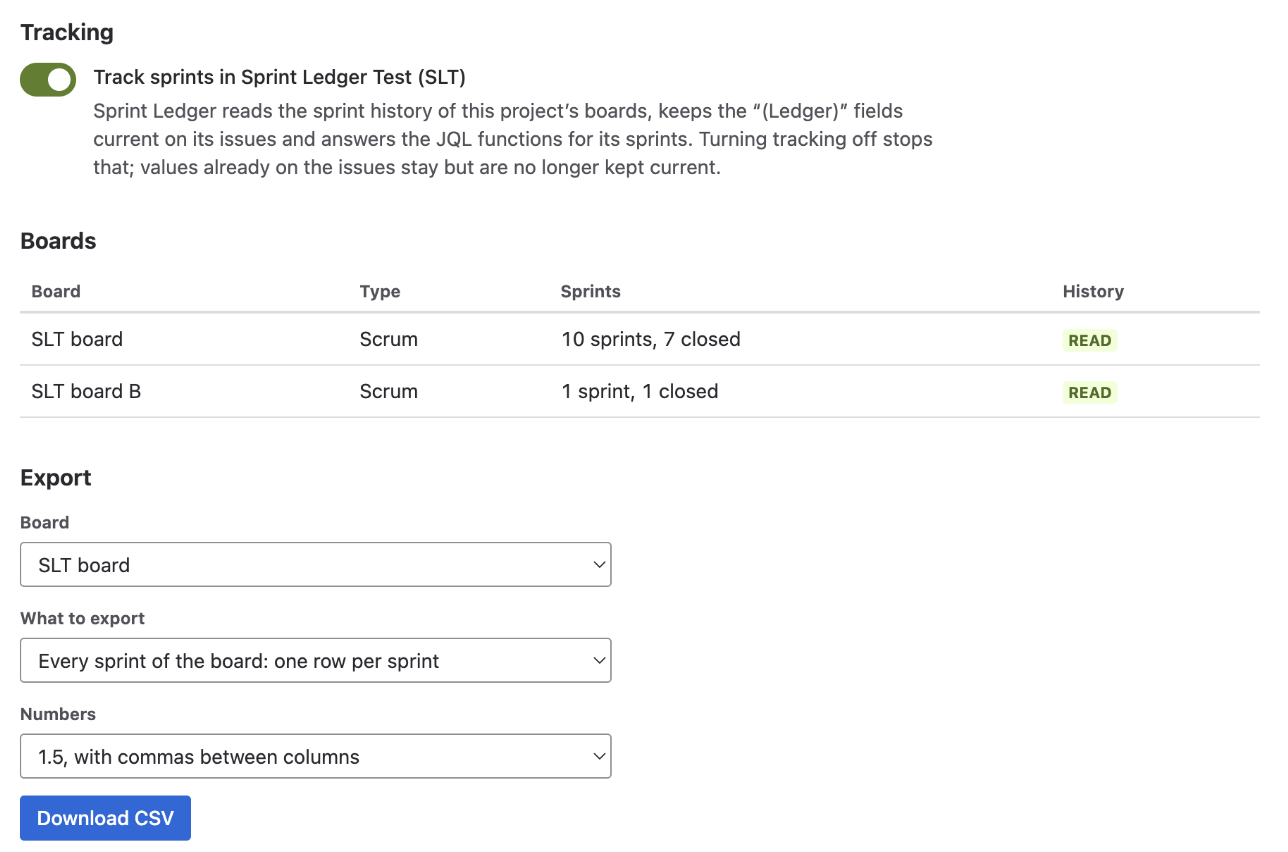
Sprint Ledger exports two files for spreadsheets and BI tools: every sprint of a board, one row per sprint, and one sprint, one row per issue. The export is on the project's settings page, which a project's administrators and Jira administrators can open: Space settings (Project settings on some sites) → Apps → Sprint Ledger, section Export. The dashboard gadget links to it.
File name sprint-ledger_<board>_all-sprints.csv. One row per started sprint, oldest first, with the gadget's numbers:
| Column | Holds |
|---|---|
| Sprint, Sprint id, State | The sprint's name, ID and state (active or closed) |
| Start (UTC), End (UTC) | The sprint's start date; the completion date of a closed sprint, or the planned end of the active one |
| Committed, Added after start, Removed, Completed, Carried over | Issue counts, as defined on How Sprint Ledger counts |
| Say/do, Scope change | Ratios, for example 0.875: completed divided by committed, and added plus removed divided by committed. Format the column as a percentage to read them as the gadget shows them. Empty when nothing was committed |
| Committed estimate, Added estimate, Removed estimate, Completed estimate, Carried over estimate | The same five in the board's estimate. For a board estimated in time the headings end in "(hours)" |
| Completed outside, Completed outside estimate | Issues that were already done when the sprint started and still done at the close, which count neither as completed nor as carried over (completed outside), and their estimate. The last two columns, so that a spreadsheet built on the earlier ones keeps working |
File name sprint-ledger_<board>_<sprint>.csv. One row per issue that counted in the sprint:
| Column | Holds |
|---|---|
| Issue key, Summary, Issue type, Subtask | The issue as Jira shows it now; Subtask is TRUE or FALSE |
| Scope | Committed, Added after start, Removed, or Added then removed |
| Added at (UTC), Added by | When the issue first joined the sprint (before the start, for a committed issue) and who added it |
| Removed at (UTC), Removed by | When it was taken out and by whom; empty unless it was removed |
| Estimate at start, Estimate at close | The estimate when it entered the sprint (at the start for a committed issue) and at the close, or when it was removed. "(hours)" for time estimates |
| Status at close | The issue's status when the sprint closed |
| Completed, Carried over, Completed outside | TRUE or FALSE, at most one of them TRUE; for the active sprint they are provisional until it closes. Completed outside is the last column |
Who added or removed an issue is named as Jira shows that person to you: the app asks Jira for the names when you export and writes them into the file, without storing them. When Jira gives no name for an account, a closed one for instance, the file shows its Atlassian account ID. An administrator can turn off storing account IDs on the admin page; the two columns are then empty for changes made afterwards.
YYYY-MM-DD HH:MM:SS in UTC; true and false are TRUE and FALSE; counts are whole numbers and estimates have up to two decimals.=, +, - or @) is written with an apostrophe in front, so opening an export can never run one.Summaries and issue types are read from Jira as the person exporting, so an issue they cannot see in Jira is left out of the one-sprint file, and the page says how many were left out. The counts in the per-board file come from the app's records and are the same for everyone who can open the page.